How To Get More Orders
Get more orders by sharing your menu link across 6 different platforms and strategies
Loading your menu link...
Loading...Update Your Instagram Profile
Add your menu link to your Instagram profile to let followers order directly:
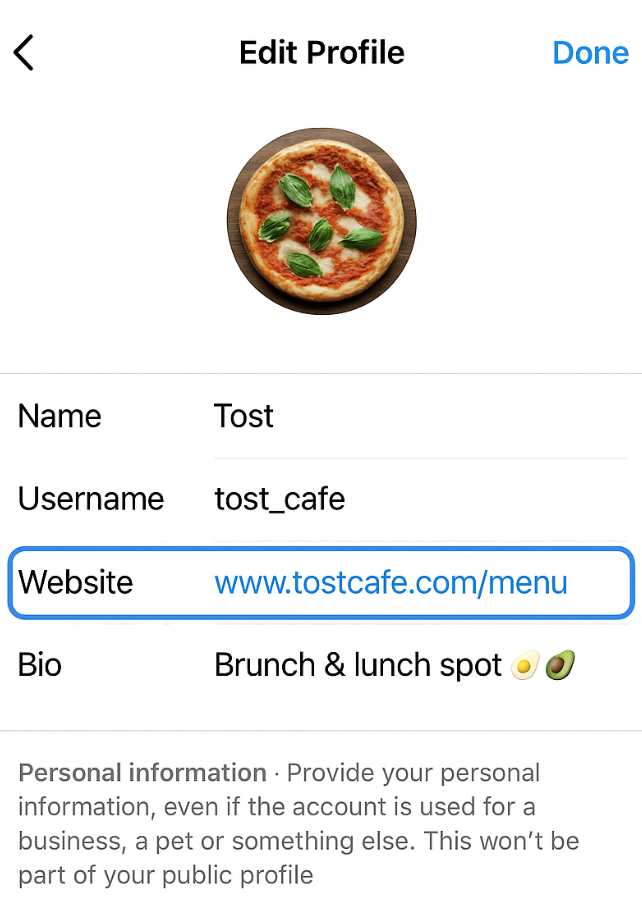
Add your menu link in the Website field
- • Open Instagram app on your mobile device
- • Go to your profile and tap “Edit Profile”
- • In the “Website” field, paste your menu link
- • Tap “Done” to save changes
- • Your followers can now tap the link in your bio to view your menu and place orders
Pro Tip: Post stories and posts about your food with “Link in bio” to drive more traffic to your menu!
Expected Impact: +35% orders
Restaurants typically see a 35% increase in orders when actively promoting their menu link on Instagram.
“After adding my NextBite menu link to Instagram, my weekend orders doubled! Customers love how easy it is to order directly from my bio.”
Maria's Kitchen • Home Chef • Mumbai
Switch to WhatsApp Business
Convert your WhatsApp to Business and add your menu link for easy customer access:
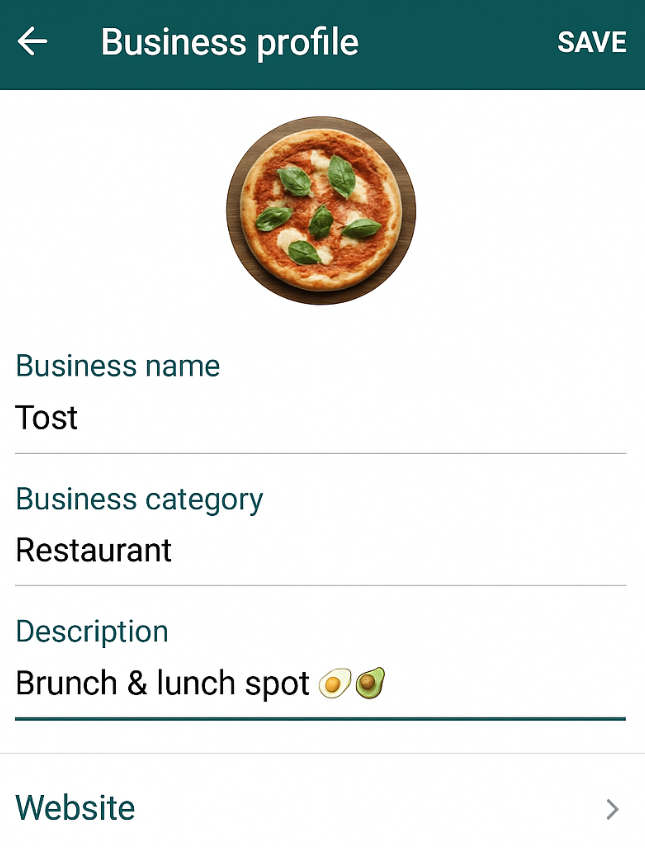
Add your menu link in the Website section
- • Download WhatsApp Business:
- • Switch your existing WhatsApp to Business account
- • Go to Settings → Business Tools → Catalog
- • Add your menu link in the business profile
- • Set up quick replies with your menu link for instant sharing
- • Use the “Away Message” feature to automatically send your menu link
Pro Tip: Create automated messages that include your menu link for 24/7 customer service!
Expected Impact: +50% orders
WhatsApp Business users report up to 50% more orders due to instant communication and automated responses.
“WhatsApp Business transformed my food truck! Quick replies with my menu link brought in 40+ new orders per week. Best decision ever!”
Raj's Food Truck • Street Food • Delhi
Get Featured Based on Customer Feedback
High-quality service and positive customer feedback can get your menu featured prominently:
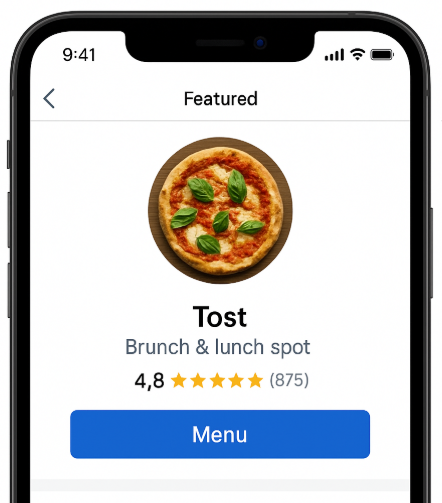
High-rated restaurants get featured with prominent placement
- • Provide excellent food quality and customer service
- • Encourage satisfied customers to leave positive reviews
- • Respond promptly to orders and customer inquiries
- • Maintain accurate menu information and pricing
- • High-rated menus get priority placement in our platform
- • Featured menus receive more visibility and orders
Quality Matters: Consistent positive feedback helps you get featured and reach more customers organically!
Expected Impact: +75% orders
Featured restaurants receive 75% more visibility and orders due to prominent placement on the platform.
“Being featured changed everything! From 20 orders/day to 120+. The featured badge brings so much credibility and visibility.”
Tost Cafe • Restaurant • Pune
Add Link to Google Business Profile
Add your menu link to your Google Business Profile to reach customers searching for local businesses:
- • Go to Google Business Profile and sign in
- • Select your business or create a new profile if you don't have one
- • Click on “Info” in the left sidebar
- • Scroll to “Website” section and add your menu link
- • You can also add the link in the “Add attributes” section under “Online ordering”
- • Save your changes and verify your business if not already done
Local Discovery: Customers searching for “restaurants near me” will see your menu link directly in your Google Business listing!
Expected Impact: +40% orders
Local businesses see 40% more orders from customers who discover them through Google Business Profile.
“Google Business Profile brought me 25+ new local customers monthly. They find me on Maps and order instantly through my menu link!”
Spice Story • Cloud Kitchen • Bangalore
Get Discovered on Google Search
Your menu automatically gets indexed by Google, helping customers find you through search:
- • Your menu is automatically optimized for search engines
- • Customers searching for food in your area can discover your menu
- • Include relevant keywords in your menu descriptions
- • Keep your menu updated with current items and prices
- • Add location details to help with local search results
- • Google will show your menu when people search for food delivery nearby
SEO Benefits: Your menu is automatically optimized to appear in Google search results, bringing you organic traffic!
Expected Impact: +25% orders
Organic Google search traffic contributes an average 25% increase in orders over time as your SEO improves.
“I was shocked to find my menu on Google's first page! Now I get 15-20 orders daily from people who just searched for ‘biryani near me’.”
Flavors of Bengal • Home Chef • Kolkata
Generate QR Code for On-the-Spot Orders
Use the share feature in your dashboard to generate a QR code that customers can scan for instant ordering:
- • Go to your NextBite dashboard and navigate to your menu
- • Click on the “Share” or “QR Code” option in your menu settings
- • Generate and download your personalized QR code
- • Print the QR code and display it prominently at your location
- • Place QR codes on tables, counters, or storefront windows
- • Customers can scan and order instantly without waiting in line
- • Perfect for restaurants, food trucks, and pop-up vendors
Instant Orders: QR codes eliminate wait times and allow customers to browse and order at their own pace, increasing sales and customer satisfaction!
Expected Impact: +60% orders
QR code ordering increases on-site orders by 60% due to contactless convenience and reduced wait times.
“QR codes on tables tripled my lunch rush sales! Customers scan, order, and pay while I focus on cooking. It's a game-changer!”
Chai & Wings • Cafe • Hyderabad
Ready to Multiply Your Orders?
Up to +285% Orders
Combined impact when using all 6 strategies together
Join thousands of successful food businesses who've transformed their sales with NextBite!
Get Started Now